


Your Week-by-Week Guide for January
January is crunch time for Amazon sellers. Tax season is here. The IRS is watching. And your books need to be ready. But here’s the good news: if you follow a simple week-by-week plan, you’ll sail through tax prep without stress.
This guide breaks down exactly what to do each week of January. We’ll cover the forms you need, the deadlines you can’t miss, and the mistakes that cost sellers thousands of dollars. Whether you sell $50,000 or $5 million on Amazon, this timeline works for you.
Let’s dive in.
Your Week-by-Week Guide for January
January is crunch time for Amazon sellers. Tax season is here. The IRS is watching. And your books need to be ready. But here’s the good news: if you follow a simple week-by-week plan, you’ll sail through tax prep without stress.
This guide breaks down exactly what to do each week of January. We’ll cover the forms you need, the deadlines you can’t miss, and the mistakes that cost sellers thousands of dollars. Whether you sell $50,000 or $5 million on Amazon, this timeline works for you.
Let’s dive in.
Key Tax Deadlines Every Amazon Seller Must Know
Before we get to the weekly plan, let’s talk deadlines. Missing these dates can mean penalties, interest charges, and a lot of headaches.
January 15, 2026: Fourth quarter estimated taxes are due. If you didn’t pay enough throughout 2025, you owe this payment now. The IRS charges penalties if you’re short.
January 31, 2026: Amazon sends your 1099-K form. This form shows your gross sales. Amazon must send it if you had over $5,000 in sales during 2025. This threshold dropped from $20,000 in previous years, so more sellers will get this form now.
January 31, 2026: If you have employees or paid contractors over $600, you must send them W-2s or 1099-NEC forms by this date.
March 15, 2026: S-Corp and Partnership tax returns (Form 1120-S or 1065) are due. If you run your Amazon business as one of these entities, mark this date.
Week 1 (January 1-7): Get Your Documents Ready
The first week of January is all about gathering. You need to collect every piece of paper and digital record related to your Amazon business. This sets the stage for everything else.
Download Your Amazon Reports
Log into Seller Central and download these reports for the full year:
Your Date Range Reports show all transactions. Pull these for each month of 2025. They include sales, refunds, fees, and other charges. Your Settlement Reports show what Amazon actually paid you. Compare these to your bank deposits. They should match. Your Inventory Reports show what you had in FBA warehouses. This matters for cost of goods sold calculations.
Pro Tip: Amazon keeps these reports for about two years. Download them now. Don’t wait. If you need them later for an audit, they might be gone.
Gather Your Expense Records
Every dollar you spent on your business can lower your taxes. But you need proof. Collect receipts and records for inventory purchases (your biggest expense), shipping supplies like boxes, tape, and labels, software subscriptions such as inventory tools and repricing software, advertising costs from Amazon PPC and other platforms, professional services including accountants and virtual assistants, home office expenses if you work from home, and travel costs for trade shows, supplier visits, and sourcing trips.
Real-World Example: The Missing Receipt Problem
Sarah runs a $400,000 Amazon business selling kitchen gadgets. In 2024, she got audited. She knew she spent about $180,000 on inventory. But she couldn’t prove $40,000 of it. Her supplier in China sent products without proper invoices. The IRS disallowed those deductions. She owed an extra $10,000 in taxes plus penalties. Her lesson: get written invoices for every purchase, no matter where your suppliers are located.
Week 2 (January 8-14): Reconcile Your Numbers
Week two is about making sure your numbers match. This is where most sellers find problems. Better to find them now than during an audit.
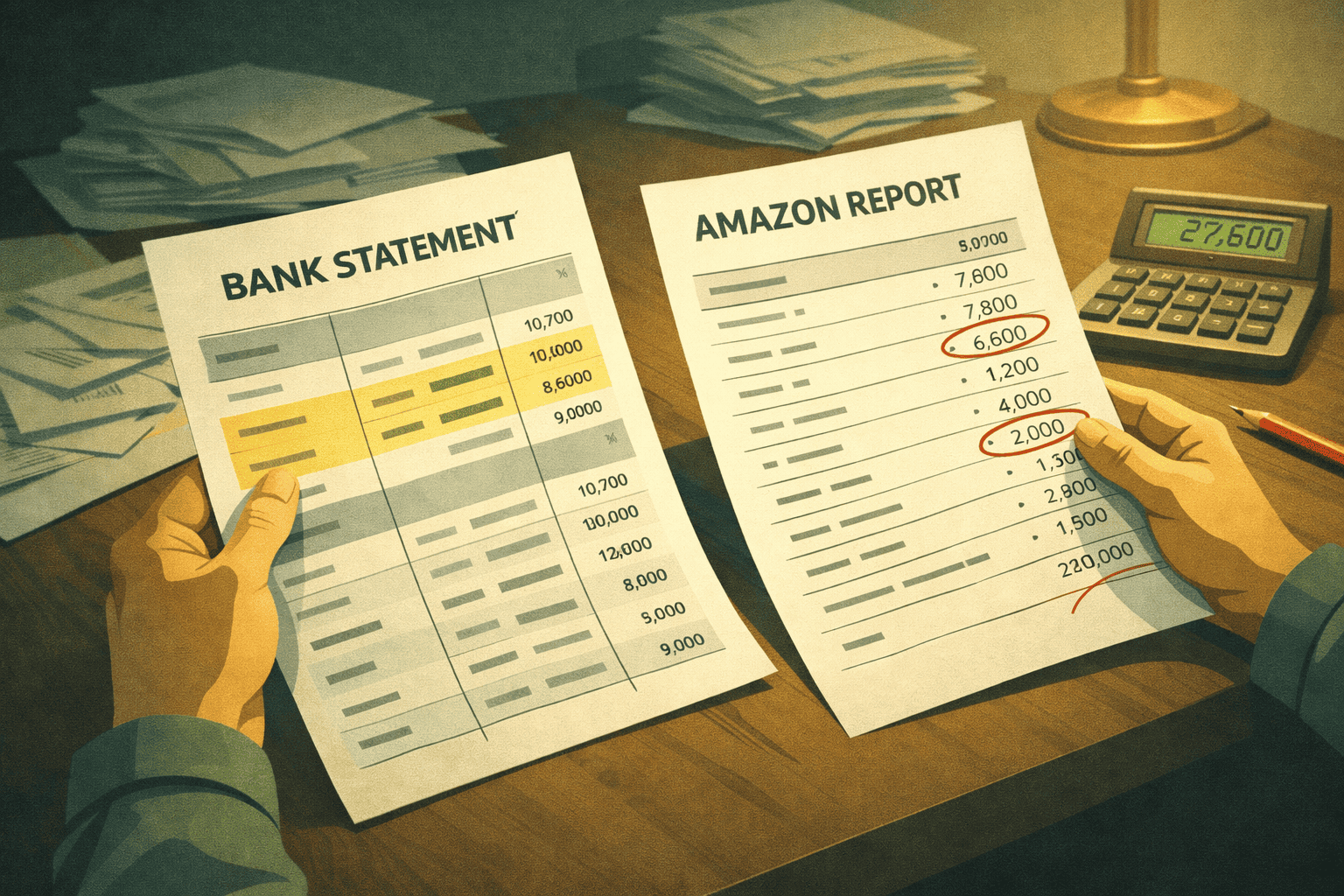
Match Amazon to Your Bank Account
Add up every Amazon settlement from 2025. Now add up every deposit from Amazon in your bank account. These numbers should be within a few dollars of each other. If they’re not, you have a problem.
Common reasons for mismatches include delayed settlements that crossed into the new year, returned payments from bank issues, and currency conversion differences for international sellers.
Calculate Your True Cost of Goods Sold
This number trips up more Amazon sellers than anything else. Your cost of goods sold isn’t just what you paid for products. Here’s the IRS-approved formula:
Start with your beginning inventory value as of January 1, 2025. Add all purchases during the year. Add freight and shipping costs to get products to you or Amazon. Add customs and duties for imported goods. Subtract your ending inventory value as of December 31, 2025. The result is your cost of goods sold.
Example: Mike started 2025 with $50,000 in inventory. He bought $200,000 more during the year. Shipping cost him $15,000. His ending inventory was $60,000. His cost of goods sold is $50,000 plus $200,000 plus $15,000 minus $60,000, which equals $205,000.
Don’t Forget: January 15 Estimated Tax Payment
This deadline falls right in the middle of week two. If you owe estimated taxes, pay them by January 15 to avoid penalties. The penalty for underpayment is currently about 8% per year on the amount you’re short. That adds up fast.
Week 3 (January 15-21): Review Tax Forms and Fix Errors
By week three, tax forms start arriving. This is your chance to catch mistakes before they become bigger problems.
The 1099-K Form Explained
The 1099-K shows your gross payment volume through Amazon. Here’s what many sellers don’t understand: this number is almost always higher than your actual income.
The 1099-K includes sales tax you collected (which isn’t your money), shipping charges customers paid, refunds before they were processed, and returns that came back later. Your actual revenue is lower. Your accounting software or tax professional needs to reconcile these differences.
Warning: The IRS gets a copy of your 1099-K. If your tax return shows much lower income than your 1099-K without explanation, expect a letter from the IRS.
Common 1099-K Errors to Watch For
Check your 1099-K carefully. Errors happen. Look for wrong Social Security or EIN numbers, which will cause IRS matching problems. Check for incorrect business names, as your legal name must match your tax return exactly. Look for wrong totals that don’t match your records, and verify your address is correct since this affects state tax filings.
If you find an error, contact Amazon Seller Support immediately. Request a corrected 1099-K. Keep records of your request.
Week 4 (January 22-31): Final Checks and Organize for Filing
The last week of January is about finishing strong. You’re getting ready to hand everything to your tax professional or file yourself.
Create Your Tax Package
Organize everything into one package, whether it’s a folder, binder, or digital file. Include your 1099-K from Amazon, your profit and loss statement for the year, your balance sheet showing assets and liabilities, your cost of goods sold calculation with supporting documents, receipts for all business expenses, bank statements showing Amazon deposits, documentation for any large or unusual items, and records of estimated tax payments already made.
The Sales Tax Double-Check
Amazon now collects and remits sales tax in most states. But here’s what catches sellers: you might still have filing requirements even if Amazon handles the payments.
If you’re registered to collect sales tax in any state, you likely need to file returns. Some states require zero-dollar returns even when Amazon collected everything. Check your registration status in each state where you have nexus.
Case Study: The Multi-State Sales Tax Nightmare
Tom sells sporting goods on Amazon. He registered for sales tax in 15 states back in 2020 before Amazon’s marketplace facilitator program kicked in everywhere. He forgot about those registrations. For three years, he didn’t file returns in those states. Then the notices started coming. He owed $12,000 in penalties and interest—not for unpaid tax, but for unfiled returns. The fix took six months and cost thousands in professional fees. Check your sales tax registrations.
The Five Most Expensive Mistakes Amazon Sellers Make
After working with hundreds of Amazon sellers, we see the same costly errors over and over. Here’s what to avoid.
Mistake 1: Mixing Personal and Business Money
Using your personal bank account for business creates a mess. You can’t tell what’s a business expense and what’s personal. The IRS sees this as a red flag. If you’re audited, mixed finances make it much harder to prove your deductions.
Fix: Open a separate business bank account. Route all Amazon payments there. Pay all business expenses from there. This simple step saves countless headaches.
Mistake 2: Wrong Inventory Method
The IRS requires consistency in how you value inventory. You pick a method—FIFO (first in, first out), LIFO (last in, first out), or specific identification—and stick with it. Many sellers switch methods without realizing they need IRS approval to change.
Fix: Work with a tax professional to pick the right method when you start. Most Amazon sellers use FIFO because it matches how they actually sell products.
Mistake 3: Forgetting About Lost and Destroyed Inventory
Amazon warehouses lose things. Products get damaged. These losses are tax deductible, but only if you track them. Many sellers never download their inventory adjustment reports.
Fix: Download Amazon’s inventory adjustment reports monthly. Track the cost basis of lost or damaged items. Deduct these as ordinary business losses.
Mistake 4: Claiming the 1099-K as Revenue
Your 1099-K is not your revenue. It’s the gross amount processed. Using this number as your income means you’re paying taxes on sales tax you collected, shipping you charged customers, and refunds before they were processed.
Fix: Use your actual net sales from your accounting records. Include a reconciliation showing how you got from the 1099-K amount to your reported revenue.
Mistake 5: Missing the S-Corp Election Window
If your Amazon business makes over $50,000 in profit, an S-Corp election might save you thousands in self-employment taxes. But the election for the current year must be filed by March 15. If you wait until you’re doing your taxes in April, you’ve missed the window. You’ll have to wait another year.
Fix: Talk to a tax professional in January about whether S-Corp status makes sense for your business. File Form 2553 by March 15 if it does.
Legal Compliance Requirements
Beyond federal income tax, Amazon sellers face other compliance requirements. Don’t let these slip through the cracks.
State Income Tax
If your state has income tax, you’ll file a state return too. Most states follow federal rules closely, but some have their own quirks. California limits certain federal deductions. New York has different rules for S-Corps. Know your state’s requirements.
Self-Employment Tax
Sole proprietors and single-member LLCs pay self-employment tax on business profits. The rate is 15.3% on the first $168,600 of net earnings for 2025, then 2.9% above that. This is on top of regular income tax. It’s a big reason profitable sellers consider S-Corp status.
Record Retention Requirements
The IRS can audit you for three years after you file. If they suspect fraud, there’s no time limit. Keep all business records for at least seven years. This includes bank statements, receipts, Amazon reports, and tax returns. Store backups somewhere safe.
Your Complete January Tax Prep Checklist
Here’s everything we covered, organized by week.
| Week | Key Tasks |
|---|---|
| Week 1 | Download Amazon reports (Date Range, Settlement, Inventory). Gather expense receipts. Collect supplier invoices. Organize bank statements. |
| Week 2 | Reconcile Amazon settlements to bank deposits. Calculate cost of goods sold. Pay Q4 estimated taxes by Jan 15. Review inventory counts. |
| Week 3 | Check 1099-K for errors. Request corrections if needed. Match 1099-K to your records. Document any differences. |
| Week 4 | Create tax package for your CPA. Review sales tax registrations. Send W-2s and 1099s to contractors. Consider S-Corp election. |

What to Do Next
Tax prep doesn’t have to be scary. With a clear plan and the right help, January becomes manageable. Here’s what we suggest:
Start this week. Don’t wait until January 25 to begin. The sellers who stress the least are the ones who start early.
Get professional help. Tax law for e-commerce is complex. A CPA who specializes in Amazon sellers will save you more than they cost. They know the deductions you’re missing. They know the mistakes to avoid.
Keep better records in 2026. If this January taught you anything, use it. Set up systems now so next year is easier.
Your Amazon business deserves the same care in taxes that you put into sourcing products and serving customers. Get January right, and the rest of tax season falls into place.
Need help with your Amazon seller taxes? Tall Oak Advisors specializes exclusively in e-commerce businesses. We know Amazon inside and out. Schedule a free consultation to see how we can help you save money and avoid tax problems.
Disclaimer: This article provides general information about tax preparation for Amazon sellers. It is not tax advice for your specific situation. Tax laws change frequently. Consult with a qualified tax professional before making decisions that affect your taxes.
Take Control of Your Finances Today!
Whether you’re a Reseller (Wholesale, Retail Arbitrage, Online Arbitrage, Dropshipping) or a Brand Owner, managing finances is key to your success. We support eCommerce businesses across major platforms like Amazon, Shopify, eBay, Walmart, Etsy, BigCommerce, and beyond.
See if you qualify for a free strategy session with our team to learn how Tall Oak Advisors can streamline your bookkeeping and ensure accurate tax preparation for your business.
Need a quick quote?
Or explore our range of free resources crafted specifically for eCommerce sellers:
- Business Tax Worksheet
- Frequently Asked Questions About Taxes and Bookkeeping
- Tax Write-Offs Every Amazon and Shopify Seller Should Know
Take the first step toward a stronger financial future and position your business for long-term success.
Your Week-by-Week Guide for January
January is crunch time for Amazon sellers. Tax season is here. The IRS is watching. And your books need to be ready. But here’s the good news: if you follow a simple week-by-week plan, you’ll sail through tax prep without stress.
This guide breaks down exactly what to do each week of January. We’ll cover the forms you need, the deadlines you can’t miss, and the mistakes that cost sellers thousands of dollars. Whether you sell $50,000 or $5 million on Amazon, this timeline works for you.
Let’s dive in.
Your Week-by-Week Guide for January
January is crunch time for Amazon sellers. Tax season is here. The IRS is watching. And your books need to be ready. But here’s the good news: if you follow a simple week-by-week plan, you’ll sail through tax prep without stress.
This guide breaks down exactly what to do each week of January. We’ll cover the forms you need, the deadlines you can’t miss, and the mistakes that cost sellers thousands of dollars. Whether you sell $50,000 or $5 million on Amazon, this timeline works for you.
Let’s dive in.
Key Tax Deadlines Every Amazon Seller Must Know
Before we get to the weekly plan, let’s talk deadlines. Missing these dates can mean penalties, interest charges, and a lot of headaches.
January 15, 2026: Fourth quarter estimated taxes are due. If you didn’t pay enough throughout 2025, you owe this payment now. The IRS charges penalties if you’re short.
January 31, 2026: Amazon sends your 1099-K form. This form shows your gross sales. Amazon must send it if you had over $5,000 in sales during 2025. This threshold dropped from $20,000 in previous years, so more sellers will get this form now.
January 31, 2026: If you have employees or paid contractors over $600, you must send them W-2s or 1099-NEC forms by this date.
March 15, 2026: S-Corp and Partnership tax returns (Form 1120-S or 1065) are due. If you run your Amazon business as one of these entities, mark this date.
Week 1 (January 1-7): Get Your Documents Ready
The first week of January is all about gathering. You need to collect every piece of paper and digital record related to your Amazon business. This sets the stage for everything else.
Download Your Amazon Reports
Log into Seller Central and download these reports for the full year:
Your Date Range Reports show all transactions. Pull these for each month of 2025. They include sales, refunds, fees, and other charges. Your Settlement Reports show what Amazon actually paid you. Compare these to your bank deposits. They should match. Your Inventory Reports show what you had in FBA warehouses. This matters for cost of goods sold calculations.
Pro Tip: Amazon keeps these reports for about two years. Download them now. Don’t wait. If you need them later for an audit, they might be gone.
Gather Your Expense Records
Every dollar you spent on your business can lower your taxes. But you need proof. Collect receipts and records for inventory purchases (your biggest expense), shipping supplies like boxes, tape, and labels, software subscriptions such as inventory tools and repricing software, advertising costs from Amazon PPC and other platforms, professional services including accountants and virtual assistants, home office expenses if you work from home, and travel costs for trade shows, supplier visits, and sourcing trips.
Real-World Example: The Missing Receipt Problem
Sarah runs a $400,000 Amazon business selling kitchen gadgets. In 2024, she got audited. She knew she spent about $180,000 on inventory. But she couldn’t prove $40,000 of it. Her supplier in China sent products without proper invoices. The IRS disallowed those deductions. She owed an extra $10,000 in taxes plus penalties. Her lesson: get written invoices for every purchase, no matter where your suppliers are located.
Week 2 (January 8-14): Reconcile Your Numbers
Week two is about making sure your numbers match. This is where most sellers find problems. Better to find them now than during an audit.
Match Amazon to Your Bank Account
Add up every Amazon settlement from 2025. Now add up every deposit from Amazon in your bank account. These numbers should be within a few dollars of each other. If they’re not, you have a problem.
Common reasons for mismatches include delayed settlements that crossed into the new year, returned payments from bank issues, and currency conversion differences for international sellers.
Calculate Your True Cost of Goods Sold
This number trips up more Amazon sellers than anything else. Your cost of goods sold isn’t just what you paid for products. Here’s the IRS-approved formula:
Start with your beginning inventory value as of January 1, 2025. Add all purchases during the year. Add freight and shipping costs to get products to you or Amazon. Add customs and duties for imported goods. Subtract your ending inventory value as of December 31, 2025. The result is your cost of goods sold.
Example: Mike started 2025 with $50,000 in inventory. He bought $200,000 more during the year. Shipping cost him $15,000. His ending inventory was $60,000. His cost of goods sold is $50,000 plus $200,000 plus $15,000 minus $60,000, which equals $205,000.
Don’t Forget: January 15 Estimated Tax Payment
This deadline falls right in the middle of week two. If you owe estimated taxes, pay them by January 15 to avoid penalties. The penalty for underpayment is currently about 8% per year on the amount you’re short. That adds up fast.
Week 3 (January 15-21): Review Tax Forms and Fix Errors
By week three, tax forms start arriving. This is your chance to catch mistakes before they become bigger problems.
The 1099-K Form Explained
The 1099-K shows your gross payment volume through Amazon. Here’s what many sellers don’t understand: this number is almost always higher than your actual income.
The 1099-K includes sales tax you collected (which isn’t your money), shipping charges customers paid, refunds before they were processed, and returns that came back later. Your actual revenue is lower. Your accounting software or tax professional needs to reconcile these differences.
Warning: The IRS gets a copy of your 1099-K. If your tax return shows much lower income than your 1099-K without explanation, expect a letter from the IRS.
Common 1099-K Errors to Watch For
Check your 1099-K carefully. Errors happen. Look for wrong Social Security or EIN numbers, which will cause IRS matching problems. Check for incorrect business names, as your legal name must match your tax return exactly. Look for wrong totals that don’t match your records, and verify your address is correct since this affects state tax filings.
If you find an error, contact Amazon Seller Support immediately. Request a corrected 1099-K. Keep records of your request.
Week 4 (January 22-31): Final Checks and Organize for Filing
The last week of January is about finishing strong. You’re getting ready to hand everything to your tax professional or file yourself.
Create Your Tax Package
Organize everything into one package, whether it’s a folder, binder, or digital file. Include your 1099-K from Amazon, your profit and loss statement for the year, your balance sheet showing assets and liabilities, your cost of goods sold calculation with supporting documents, receipts for all business expenses, bank statements showing Amazon deposits, documentation for any large or unusual items, and records of estimated tax payments already made.
The Sales Tax Double-Check
Amazon now collects and remits sales tax in most states. But here’s what catches sellers: you might still have filing requirements even if Amazon handles the payments.
If you’re registered to collect sales tax in any state, you likely need to file returns. Some states require zero-dollar returns even when Amazon collected everything. Check your registration status in each state where you have nexus.
Case Study: The Multi-State Sales Tax Nightmare
Tom sells sporting goods on Amazon. He registered for sales tax in 15 states back in 2020 before Amazon’s marketplace facilitator program kicked in everywhere. He forgot about those registrations. For three years, he didn’t file returns in those states. Then the notices started coming. He owed $12,000 in penalties and interest—not for unpaid tax, but for unfiled returns. The fix took six months and cost thousands in professional fees. Check your sales tax registrations.
The Five Most Expensive Mistakes Amazon Sellers Make
After working with hundreds of Amazon sellers, we see the same costly errors over and over. Here’s what to avoid.
Mistake 1: Mixing Personal and Business Money
Using your personal bank account for business creates a mess. You can’t tell what’s a business expense and what’s personal. The IRS sees this as a red flag. If you’re audited, mixed finances make it much harder to prove your deductions.
Fix: Open a separate business bank account. Route all Amazon payments there. Pay all business expenses from there. This simple step saves countless headaches.
Mistake 2: Wrong Inventory Method
The IRS requires consistency in how you value inventory. You pick a method—FIFO (first in, first out), LIFO (last in, first out), or specific identification—and stick with it. Many sellers switch methods without realizing they need IRS approval to change.
Fix: Work with a tax professional to pick the right method when you start. Most Amazon sellers use FIFO because it matches how they actually sell products.
Mistake 3: Forgetting About Lost and Destroyed Inventory
Amazon warehouses lose things. Products get damaged. These losses are tax deductible, but only if you track them. Many sellers never download their inventory adjustment reports.
Fix: Download Amazon’s inventory adjustment reports monthly. Track the cost basis of lost or damaged items. Deduct these as ordinary business losses.
Mistake 4: Claiming the 1099-K as Revenue
Your 1099-K is not your revenue. It’s the gross amount processed. Using this number as your income means you’re paying taxes on sales tax you collected, shipping you charged customers, and refunds before they were processed.
Fix: Use your actual net sales from your accounting records. Include a reconciliation showing how you got from the 1099-K amount to your reported revenue.
Mistake 5: Missing the S-Corp Election Window
If your Amazon business makes over $50,000 in profit, an S-Corp election might save you thousands in self-employment taxes. But the election for the current year must be filed by March 15. If you wait until you’re doing your taxes in April, you’ve missed the window. You’ll have to wait another year.
Fix: Talk to a tax professional in January about whether S-Corp status makes sense for your business. File Form 2553 by March 15 if it does.
Legal Compliance Requirements
Beyond federal income tax, Amazon sellers face other compliance requirements. Don’t let these slip through the cracks.
State Income Tax
If your state has income tax, you’ll file a state return too. Most states follow federal rules closely, but some have their own quirks. California limits certain federal deductions. New York has different rules for S-Corps. Know your state’s requirements.
Self-Employment Tax
Sole proprietors and single-member LLCs pay self-employment tax on business profits. The rate is 15.3% on the first $168,600 of net earnings for 2025, then 2.9% above that. This is on top of regular income tax. It’s a big reason profitable sellers consider S-Corp status.
Record Retention Requirements
The IRS can audit you for three years after you file. If they suspect fraud, there’s no time limit. Keep all business records for at least seven years. This includes bank statements, receipts, Amazon reports, and tax returns. Store backups somewhere safe.
Your Complete January Tax Prep Checklist
Here’s everything we covered, organized by week.
| Week | Key Tasks |
|---|---|
| Week 1 | Download Amazon reports (Date Range, Settlement, Inventory). Gather expense receipts. Collect supplier invoices. Organize bank statements. |
| Week 2 | Reconcile Amazon settlements to bank deposits. Calculate cost of goods sold. Pay Q4 estimated taxes by Jan 15. Review inventory counts. |
| Week 3 | Check 1099-K for errors. Request corrections if needed. Match 1099-K to your records. Document any differences. |
| Week 4 | Create tax package for your CPA. Review sales tax registrations. Send W-2s and 1099s to contractors. Consider S-Corp election. |
What to Do Next
Tax prep doesn’t have to be scary. With a clear plan and the right help, January becomes manageable. Here’s what we suggest:
Start this week. Don’t wait until January 25 to begin. The sellers who stress the least are the ones who start early.
Get professional help. Tax law for e-commerce is complex. A CPA who specializes in Amazon sellers will save you more than they cost. They know the deductions you’re missing. They know the mistakes to avoid.
Keep better records in 2026. If this January taught you anything, use it. Set up systems now so next year is easier.
Your Amazon business deserves the same care in taxes that you put into sourcing products and serving customers. Get January right, and the rest of tax season falls into place.
Need help with your Amazon seller taxes? Tall Oak Advisors specializes exclusively in e-commerce businesses. We know Amazon inside and out. Schedule a free consultation to see how we can help you save money and avoid tax problems.
Disclaimer: This article provides general information about tax preparation for Amazon sellers. It is not tax advice for your specific situation. Tax laws change frequently. Consult with a qualified tax professional before making decisions that affect your taxes.
Take Control of Your Finances Today!
Whether you’re a Reseller (Wholesale, Retail Arbitrage, Online Arbitrage, Dropshipping) or a Brand Owner, managing finances is key to your success. We support eCommerce businesses across major platforms like Amazon, Shopify, eBay, Walmart, Etsy, BigCommerce, and beyond.
See if you qualify for a free strategy session with our team to learn how Tall Oak Advisors can streamline your bookkeeping and ensure accurate tax preparation for your business.
Need a quick quote?
Or explore our range of free resources crafted specifically for eCommerce sellers:
- 7 Profit Crushing Mistakes That Will Destroy Your eCommerce Business
- Business Tax Worksheet
- Frequently Asked Questions About Taxes and Bookkeeping
- Tax Write-Offs Every Amazon and Shopify Seller Should Know
Take the first step toward a stronger financial future and position your business for long-term success.